App store 17 min read
Guideline 4.3 Spam Rejection: How to Answer App Review
Apple now meets many new apps with a spam rejection and a list of questions. Here is what each one means, what to send back, and a sample response that got an app approved.
Apple’s App Review is under more pressure than at any time in the last decade. AI coding tools let anyone build an app in an afternoon, and the submissions have followed: The Next Web, citing The Information, reported that new App Store submissions rose 84% in a single quarter as vibe coding went mainstream, and that Sensor Tower tracked a 56% year-on-year rise in iOS app launches in December 2025.
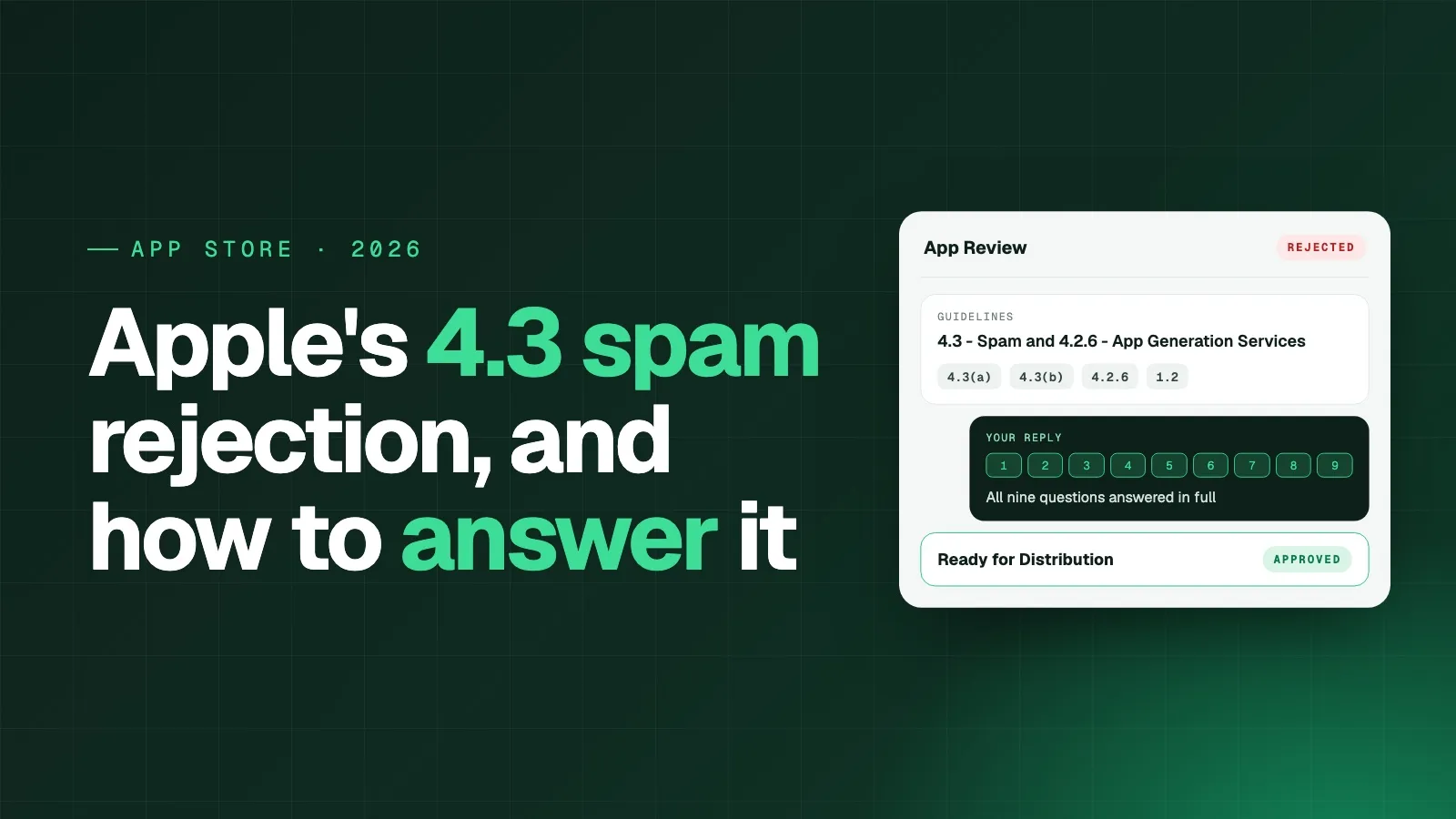
Apple’s response has been to lean hard on the guidelines that let a reviewer turn away an app that looks like a copy or like builder output. Developers on every platform are now getting the same long rejection on a first submission, citing Guidelines 4.3 and 4.2.6 together, followed by a list of questions. Apps with user content are getting a second one under Guideline 1.2.
This isn’t limited to one builder, one platform or one kind of app. Below is what each rejection means, what to change, and how to answer App Review’s questions, with a sample response that got a marketplace app approved.
The rejection most new apps are getting
The message is titled Guidelines 4.3 - Spam and 4.2.6 - App Generation Services. It says the app “appears to match one or more” of three kinds of spam:
- 4.3(a): the app duplicates content or functionality already on the App Store.
- 4.3(b): the app is indistinguishable from what’s already widely available, or is an opportunistic variant of an existing category or popular app.
- 4.2.6: the app was created from a commercialized template or app generation service but was not submitted directly by the provider of the app’s content.
Some apps get only the spam part, in a message titled Guideline 4.3(a) - Design - Spam or Guideline 4.3(b) - Design - Spam. Everything below applies to those too, except the 4.2.6 account fix.
Note the words “appears to” and “one or more”. The reviewer hasn’t decided which one applies. That is why the message gives you two ways out, and choosing the right one is the most important decision you make.
First decide: change the app, or reply
Apple’s instructions are blunt:
- If any of the three descriptions applies, don’t resubmit until you’ve made significant changes. An app resubmitted without substantial improvements will be rejected again, and may be rejected for additional issues.
- If you believe the app already meets the guidelines, don’t resubmit at all. Reply to the message in App Store Connect and answer every question in full.
Resubmitting the same build with a new screenshot is the one move that makes things worse. Before choosing, check the three causes honestly.
What each guideline actually says
Guideline 4.3(a): one app, not many
Apple’s wording in the App Review Guidelines: “Don’t create multiple Bundle IDs of the same app.” The example is a separate map app for every city instead of one worldwide map. If you run several stores, locations or brands, Apple wants one app with the variations inside it.
You are likely affected if your developer account has two or more apps that share most of their screens and differ mainly in name, colours or content.
Guideline 4.3(b): not another copy of a crowded category
Apple says: “Don’t submit apps that are indistinguishable from what’s already widely available.” It names categories it considers saturated, such as dating, flashlight, wallpaper, simple timers and fortune telling, and says it won’t accept new ones “unless they offer a meaningfully different or improved experience.”
You are likely affected if a reviewer could describe your app in one sentence that also describes fifty others. A store app for your own brand, with your own catalog and customers, usually is not in this group. A generic tip calculator is.
Guideline 4.2.6: the business must submit its own app
This is the one most builder-made apps trip over, and it is about who submits, not how the app was built. Apple’s wording: “Apps created from a commercialized template or app generation service will be rejected unless they are submitted directly by the provider of the app’s content. These services should not submit apps on behalf of their clients.”
The provider of the content is the business whose products, listings, articles or services the app shows. If an app for a bakery is published from a developer account belonging to an agency, a freelancer or the app builder, it fails 4.2.6, however good the app is.
Fix 4.2.6 before anything else
If the app went out from an account that isn’t the business’s own, no written reply will fix it. Move it first:
- Enroll the business in the Apple Developer Program as an Organization, not an Individual. You need a D-U-N-S number for the legal entity, and the account name shown on the App Store will be the company’s name. Our Apple Developer Program enrollment guide walks through it.
- Transfer the app or submit it fresh from that account. An app that has never been approved can simply be created and submitted again under the business’s account.
- Give your builder or agency access through App Store Connect users and roles, so they can still handle builds and review responses without owning the app.
Once the business is the submitter, the 4.2.6 part of the rejection is answered by the account itself, and your reply only has to deal with 4.3.
How to answer App Review’s nine questions
If you reply instead of resubmitting, Apple asks you to “answer all of the following questions in full.” Treat this as an application, not a form. Short or vague answers read as confirmation that the app is spam.
1. What does the app do, and what problem does it solve?
Why Apple asks: the reviewer wants to see that a real business with a real purpose is behind the app, not a template filled in with a name and logo. Apple says not to reuse your App Store description, because marketing copy is exactly what spam apps submit.
What to write: walk through what a user actually does in the app, from opening it to finishing the main task. Name the problem in concrete terms, such as who loses time or money today and why. Then list the native features the app adds and what each one is for, for example push notifications for new orders or the camera for uploading photos.
2. Who is the intended user?
Why Apple asks: an app built for “everyone” is usually built for no one in particular, which is one of the signs of an opportunistic copy.
What to write: describe each group of users specifically: who they are, where they are, and what they need from the app. If your app serves two sides, such as buyers and sellers or customers and providers, describe both.
3. What gap does it fill that existing apps don’t?
Why Apple asks: this is the core 4.3(b) test, whether your app is just another version of something already widely available.
What to write: point to what only your business has. That might be your own customers, listings, catalog, providers, member accounts or service area. If someone can only get these through your platform, say so plainly: no other app on the App Store gives access to them.
4. What beta testing did you do?
Why Apple asks: a generated app often goes from template to submission without anyone using it. Apple wants evidence that real people tested this one and that the app changed as a result.
What to write: say who tested it (your team, staff, existing customers), which flows they tested, and for how long. Then give two or three concrete pieces of feedback and what you changed because of each one. If your website has been live for a while, feedback from its users counts too.
5. Is it a standalone product or part of a suite?
Why Apple asks: this checks Guideline 4.3(a), near-identical apps published under one account, such as one app per city or per store.
What to write: if it’s your only app, say it’s a standalone product and the only app on your developer account. If you have other apps, explain for each one how its purpose and features differ from this app.
6. Could it be an in-app purchase or a feature of another app on your account?
Why Apple asks: also 4.3(a). Apple would rather see one app with options inside it than several apps that each do a slice of the same thing.
What to write: if you have no other apps, say so. If you do, explain why this app serves a different audience or purpose that can’t be folded into the existing one.
7. Does the app share code or assets with other apps on your account?
Why Apple asks: the reviewer is looking for reskins, the same app with a different name, colours and content.
What to write: if there are no other apps on the account, say so and state that the branding, content and features belong to your business. If there are, list each shared component and explain what it does in each app.
8. Does the app share a codebase, SDK or content library with third-party apps?
Why Apple asks: this is how App Review identifies template and app-builder output.
What to write: be accurate. If you used an app builder, name it as the native layer the app runs on, the same way you’d name any framework. Then explain what your app adds on top of it: the content, listings, accounts, payments and business logic that run on your own platform and aren’t shared with any other app.
9. Was the app built for a client or third party?
Why Apple asks: this is the Guideline 4.2.6 check, whether a builder or agency is submitting the app on someone else’s behalf.
What to write: if you’ve published from the business’s own account, say that the business owns the app’s content, concept and branding and is submitting it under its own Apple Developer account, in line with Guideline 4.2.6. If that isn’t true yet, move the app to the business’s account before you reply.
Before you send your reply
Whatever your app does, two habits make every answer stronger:
- Write about your business, not your app’s screens. App Review is asking whether the app has a reason to exist. Real customers, real providers, a real catalog and years of operation answer that better than a feature list.
- Point to proof. Mention the website and how long it has been live, the number of products or listings if it helps, and where in the app the reviewer can see each feature you name.
Sample response to App Review’s nine questions
Use this sample response as a model for your own. It is a real reply from a Twinr customer, a reverse-bidding marketplace for hauling and local services, which answered all nine questions without resubmitting the build and got the app approved. We’ve removed the company’s name and identifying details.
1. What the app does and the problem it solves
[Marketplace] is a reverse-bidding marketplace for hauling, shipping and local services. A customer posts a job (moving a couch, shipping heavy equipment, junk removal, power washing) and independent owner-operators and local pros send competing bids. The customer compares price, timing and reviews, messages providers, accepts a bid and tracks the job to completion.
Customers usually face opaque pricing and broker markups, while small operators lose margin to middlemen and lead-gen platforms. [Marketplace] has no broker layer: both sides deal directly and open bidding sets the price. Our own estimator suggests a fair price range from category, distance, dimensions and weight.
The app adds the native features our users requested most: instant push notifications for new bids, messages and job updates, camera access to photograph items when creating a listing, and location for pickup and drop-off. In a bidding marketplace, speed wins jobs.
2. Intended users
- Customers: homeowners, renters, farmers, small businesses and fleet owners who need something big moved or a property or vehicle service done.
- Providers: independent owner-operators and small service businesses, including flatbed drivers, vehicle haulers, junk haulers, movers, detailers, landscapers, cleaners, handymen and mobile mechanics.
3. Need or gap addressed
This app is the mobile client for [Marketplace], an operating marketplace with its own customers, its own network of independent providers and its own listings. A customer posting a job on [Marketplace] can only receive bids from [Marketplace] providers through [Marketplace]. No other app on the App Store gives access to these listings, providers or transactions.
It also covers rural and heavy work that mainstream apps skip, such as farm equipment and vehicle hauling, alongside everyday local services. Providers work from their trucks, and the first relevant bid usually wins. The website can’t send real-time alerts for new jobs, bids and messages. The app can.
4. Beta testing
The app went through structured internal testing by our team, including the founders, who bring hands-on hauling and logistics experience. Testing covered the full flow for customers and providers: posting a listing with photos, estimator pricing, receiving and comparing bids, messaging, accepting a bid, and job notifications.
The app is also built on feedback from the [Marketplace] web marketplace, which is live with active customers and providers:
- Providers wanted to see new jobs the moment they were posted. The app delivers push notifications for new listings and bids.
- Customers wanted pricing guidance before posting and instant alerts for new messages and replies. The app delivers the estimator in the posting flow and real-time inbox notifications.
5. Standalone or suite?
It’s a standalone product and the only app on [Marketplace]’s developer account.
6. Could this be an in-app purchase or feature in another app on our account?
No. [Marketplace] has no other apps. This is our company’s main and only product.
7. Shared code or assets with other apps on our account?
No. There are no other apps on our account. All branding, listings, provider profiles, bidding logic, the estimator and messaging belong to [Marketplace].
8. Shared codebase or SDK with third-party apps?
All the app’s content and functionality runs on [Marketplace]’s own platform and backend: listings, bidding engine, provider verification, messaging, ratings and the estimator. None of it is shared with any other app.
9. Built for a client, partner or third party?
No. [Company] owns the app’s content, concept and branding, and is submitting it under its own Apple Developer account, in line with guideline 4.2.6.
Why this response worked
- It describes a business, not an app. Answer 3 is the strongest line in the reply: nobody else on the App Store can show these listings or these providers.
- Every native feature has a reason. Push, camera and location are tied to how the marketplace actually works, which also answers Guideline 4.2’s question of whether the app does more than the website.
- Beta testing has evidence. It names who tested, what flows they covered, and two pieces of user feedback that shaped the app.
- Answers 5 to 9 are short and definite. No hedging on the questions that check for duplicates and builder submissions.
Guideline 2.1 - Information Needed: when App Review asks for more
Some apps get a second request, titled Guideline 2.1 - Information Needed, asking for material App Review needs to test the app. Have it ready before you submit, and put the same details in the Notes field under App Review Information so you don’t get asked again.
- A screen recording on a physical device running the latest iOS. It must start with launching the app and show the typical user flow. If your app has them, include account registration, login and account deletion, any user-generated content with the reporting and blocking controls, and how users reach paid content. The screen recorder in Control Center is enough; a Simulator capture is not.
- The app’s purpose and target audience, the problem it solves and the value it provides. Reuse your answers to questions 1 to 3.
- Setup instructions and login details, plus any sample files or codes needed to reach the main features. Guideline 2.1 already requires a working demo account for any app with a login.
- The external services the app relies on, for example your e-commerce or marketplace platform, payment processor, sign-in providers, push notification service, maps and any AI services. For a Twinr app, list Twinr as the native app platform alongside the services your website already uses.
- Regional differences in features or content, or a statement that the app works the same in every region.
- Licences or credentials if you operate in a regulated industry, such as finance, health, gambling or transport, or show protected third-party content.
Guideline 1.2 - Safety - User-Generated Content: report and block
Marketplaces, communities and any app with reviews, comments, listings or chat are getting a separate rejection under Guideline 1.2. Apple says apps that let users “create, generate, upload, share, or otherwise contribute content” must include:
- A method for filtering objectionable material before it is posted
- A mechanism to report offensive content, with timely responses to reports
- The ability to block abusive users from the service
- Published contact information so users can easily reach you
Reviewers also commonly ask for terms of use that users accept, stating there is no tolerance for objectionable content or abusive users.
For an app built from your website, these features belong on the website itself, because that’s where your users, listings and messages live. Add them once and they work on the web, in the iOS app and in the Android app at the same time:
- A Report button on every listing, review, profile and message, with a reason picker, sending the report to an admin queue.
- A Block user option on profiles and in conversations, which hides that user’s content and stops their messages.
- Moderation for new content, through keyword filters, manual approval of first listings, or both.
- A clear process for acting on reports, so you can tell App Review how quickly reports are reviewed and what happens to offending content and accounts.
- Contact details on a support or contact page linked from the app’s menu.
- Terms of use accepted at sign-up that ban objectionable content and abusive behaviour.
Then show every one of them in your screen recording. A reviewer who can’t find the Report button will assume it doesn’t exist.
The same goes for account deletion. If users can create an account, Guideline 5.1.1(v) requires that they can also delete it from inside the app. Twinr’s Account Delete extension lets your website trigger in-app deletion with a single JavaScript bridge call.
Checklist before you reply or resubmit
- The app is published from the business’s own Apple Developer account, enrolled as an Organization
- There is only one app per business on that account, or each app in a suite has a clearly different purpose
- The app does things the website can’t, such as push notifications, native navigation, camera or location tied to a real use
- All nine questions are answered in full, without reusing the App Store description
- Beta testing is described with who tested and at least two changes made from feedback
- Report, block, moderation, contact details and terms are live on the website, if users can post content
- Account deletion works inside the app, if users can sign up
- A physical-device screen recording starting at app launch shows every flow above
- Demo login details, external services and regional differences are in the App Review Notes
How Twinr helps
Twinr turns your website into native iOS and Android apps that do more than the site: push notifications, native navigation, offline browsing, deep links and native screens connected to your own APIs. That gives you real answers to questions 1 and 3, and to Guideline 4.2.
Apps are published under your own Apple Developer and Google Play Console accounts, which is exactly what Guideline 4.2.6 asks for. On Premium, the Twinr team handles the store listing, screenshots and review responses, including replies like the one above, with a 100% app approval guarantee on managed submissions.
If you’ve already been rejected, our App Store rejection reasons guide covers the other common guidelines, and the rejection playbook has appeal templates. When you’re ready to build, start a free trial and preview your app on your phone in minutes.

Gaurav Parvadiya
Gaurav co-founded Twinr in 2022 to put native mobile apps within reach of businesses with no in-house mobile team. He works on the platform day to day, where it has since helped 50,000+ businesses turn a website into a native iOS and Android app, and writes about store approval, push notifications, and the decisions that separate a real native app from a wrapper.
All posts by GauravFrequently asked questions
Why is Apple rejecting so many apps under Guideline 4.3 in 2026?
Volume. AI coding tools have made it possible to build an app in an afternoon, and new App Store submissions have jumped as a result. Guidelines 4.3 and 4.2.6 let App Review turn away apps that look like duplicates or builder output, so they now appear far more often on first submissions.
What does Guideline 4.2.6 mean?
Apps built from a commercial template or app generation service must be submitted directly by the provider of the app's content. In practice, the business that owns the app's content and brand publishes it from its own Apple Developer account. The builder or agency should not submit it from theirs.
Should I resubmit after a 4.3 spam rejection?
Only if you have made significant changes. Apple says an app resubmitted without substantial improvements will be rejected again and may pick up more issues. If your app already meets the guidelines, reply to the message in App Store Connect instead, and answer every question App Review asked.
Can I say my app was made with an app builder?
Yes, and you should be accurate about it. Apple asks directly about shared code and templates. Name the builder as the native layer, then explain that the content, listings, accounts and business logic users see come from your own platform and belong to your business.
What does Apple require for user-generated content?
Guideline 1.2 requires a way to filter objectionable material, a way to report offensive content with timely responses, the ability to block abusive users, and published contact information. Marketplaces, reviews, comments, community posts and chat all count as user content.
Does the screen recording have to be from a real iPhone?
Yes, when App Review asks for it. The request says the recording must be captured on a physical device running the latest operating system and start with launching the app. The iOS screen recorder in Control Center is enough.